Real estate, metals, crypto, securities, savings, receivables, and debts, all in one place, with an ownership share and a valuation history. Encrypted and offline, just like the rest of Pengo.
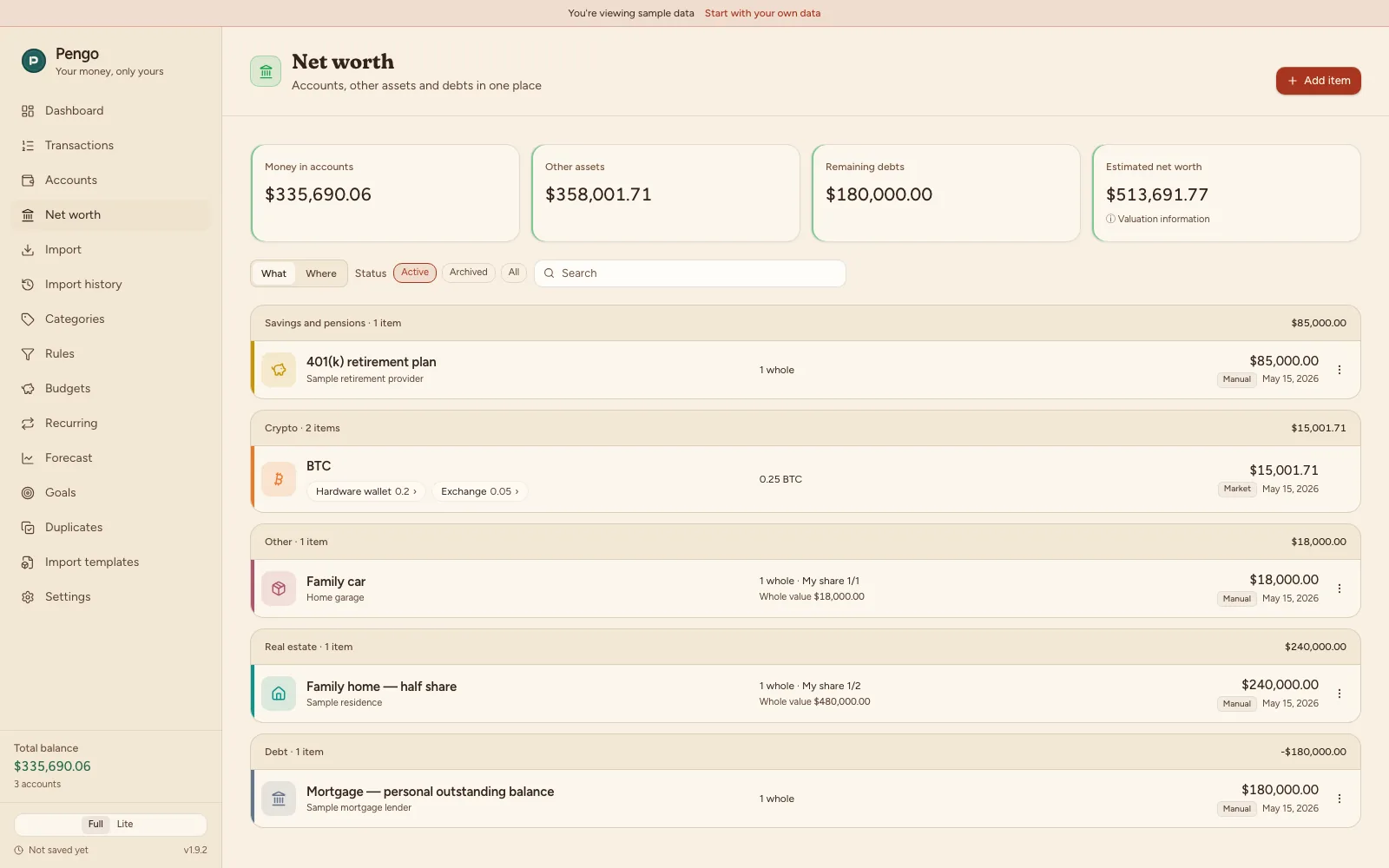
Net worth covers eight kinds of items: real estate, metals, crypto, securities, savings, receivables, debts, and other. Every item carries an ownership share, so a co-owned flat or car counts toward your net worth only by your part. Debts are subtracted from the total automatically.
Movements determine an item's quantity: when you bought or sold how much, optionally at what price. The date of the first movement is the acquisition date. For crypto with automatic prices the app backfills the available history from that day, at most two years back; a hand-valued item's history is made of your own valuations. Sell only part of a position? The rest keeps its own record, on the Movements tab, no deleting the whole item.
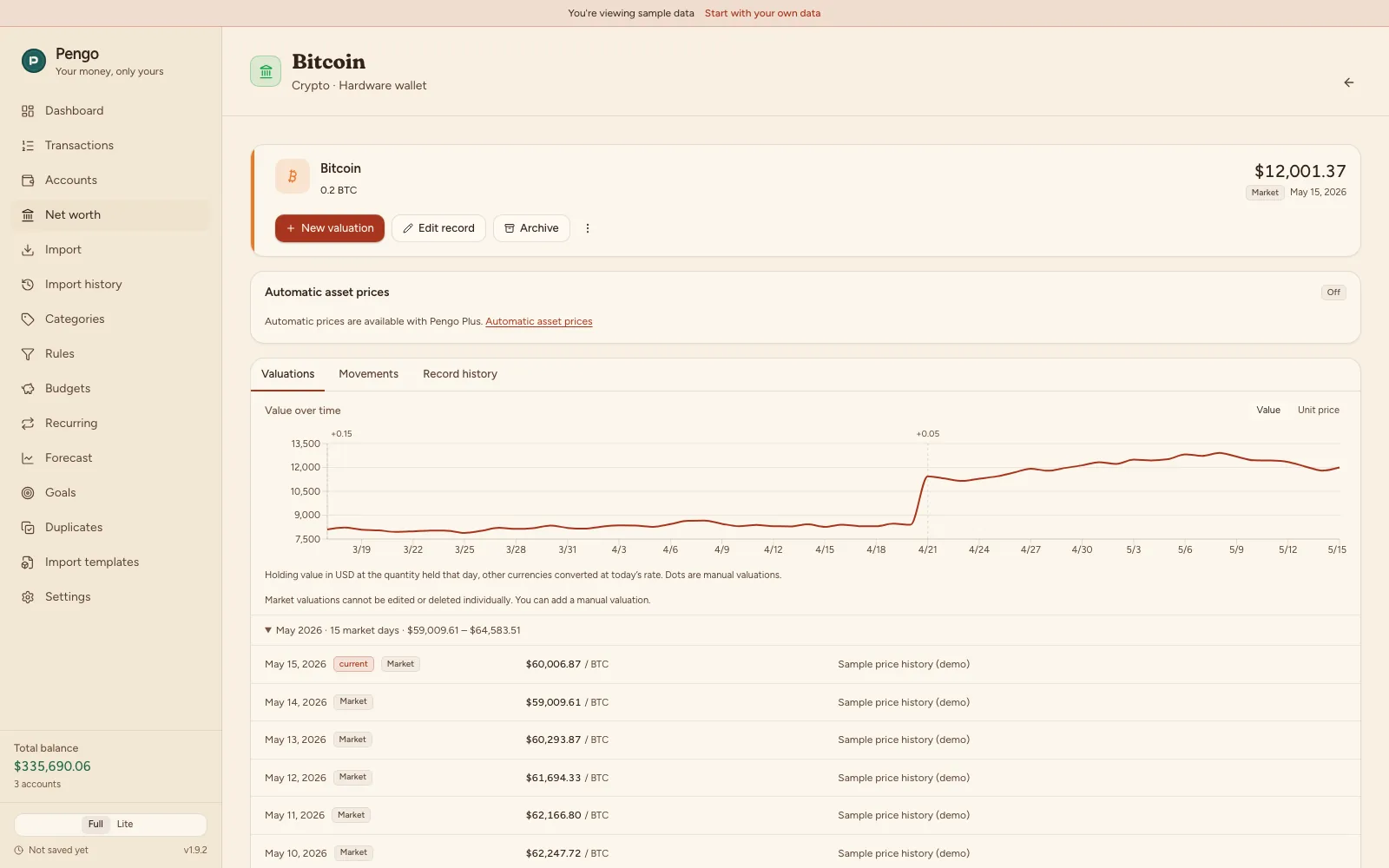
For native crypto on Hyperliquid, once you opt in under Settings the app fetches indicative prices and their available history back to the acquisition date. The source is the Hyperliquid oracle; prices can be stale and are for approximate valuation only, never investment advice.
Hold bitcoin in two wallets, or one coin split across several vaults? Pengo groups the same coin by its symbol into a single row in the list, with a combined quantity and value, even though each holding keeps its own movement and valuation history underneath.
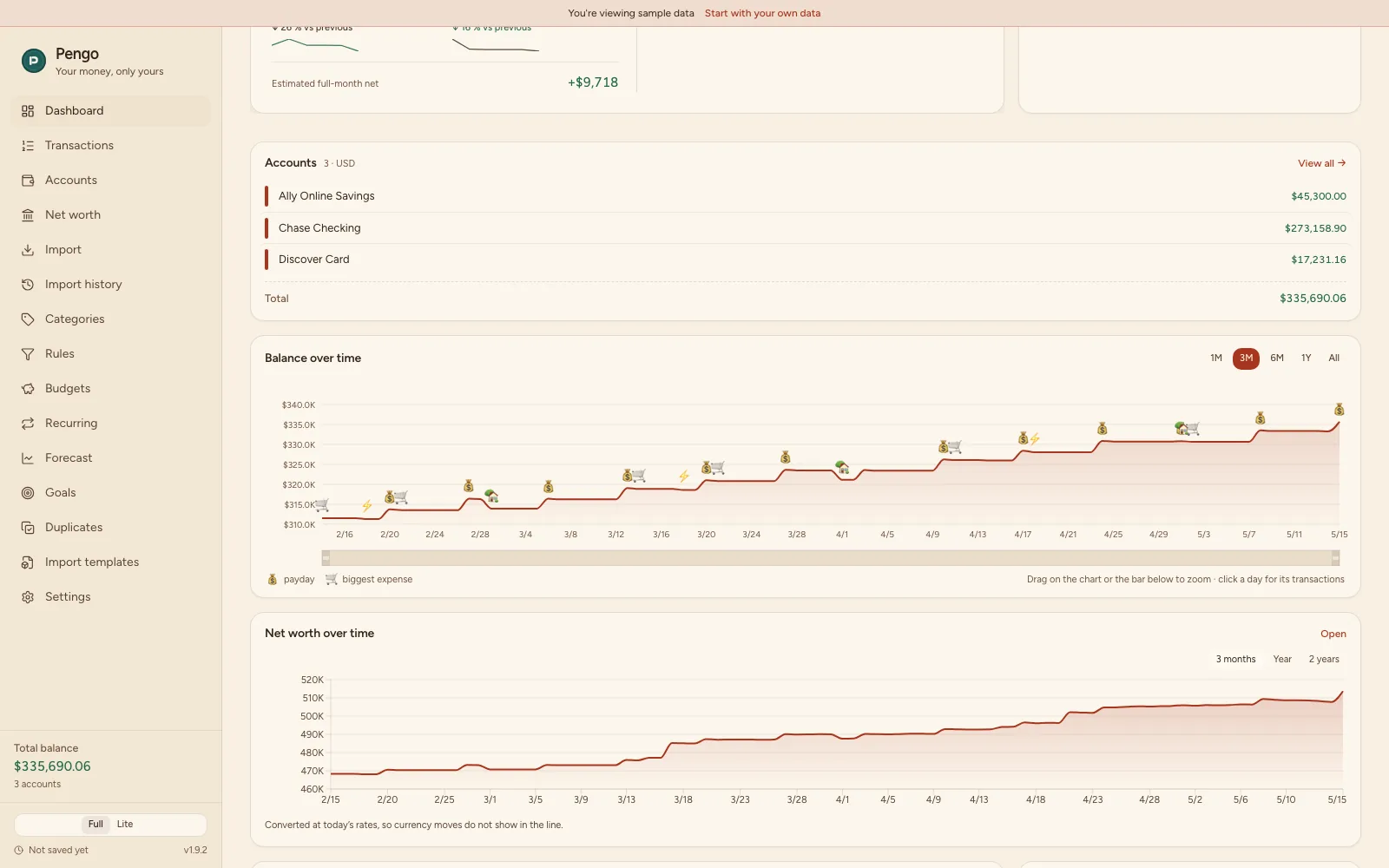
Every item gets its own value-over-time chart, built from its valuation history. A combined net worth chart over three months, a year or two years shows up on the Dashboard (Plus), summing values across every item and currency after converting to your home currency.
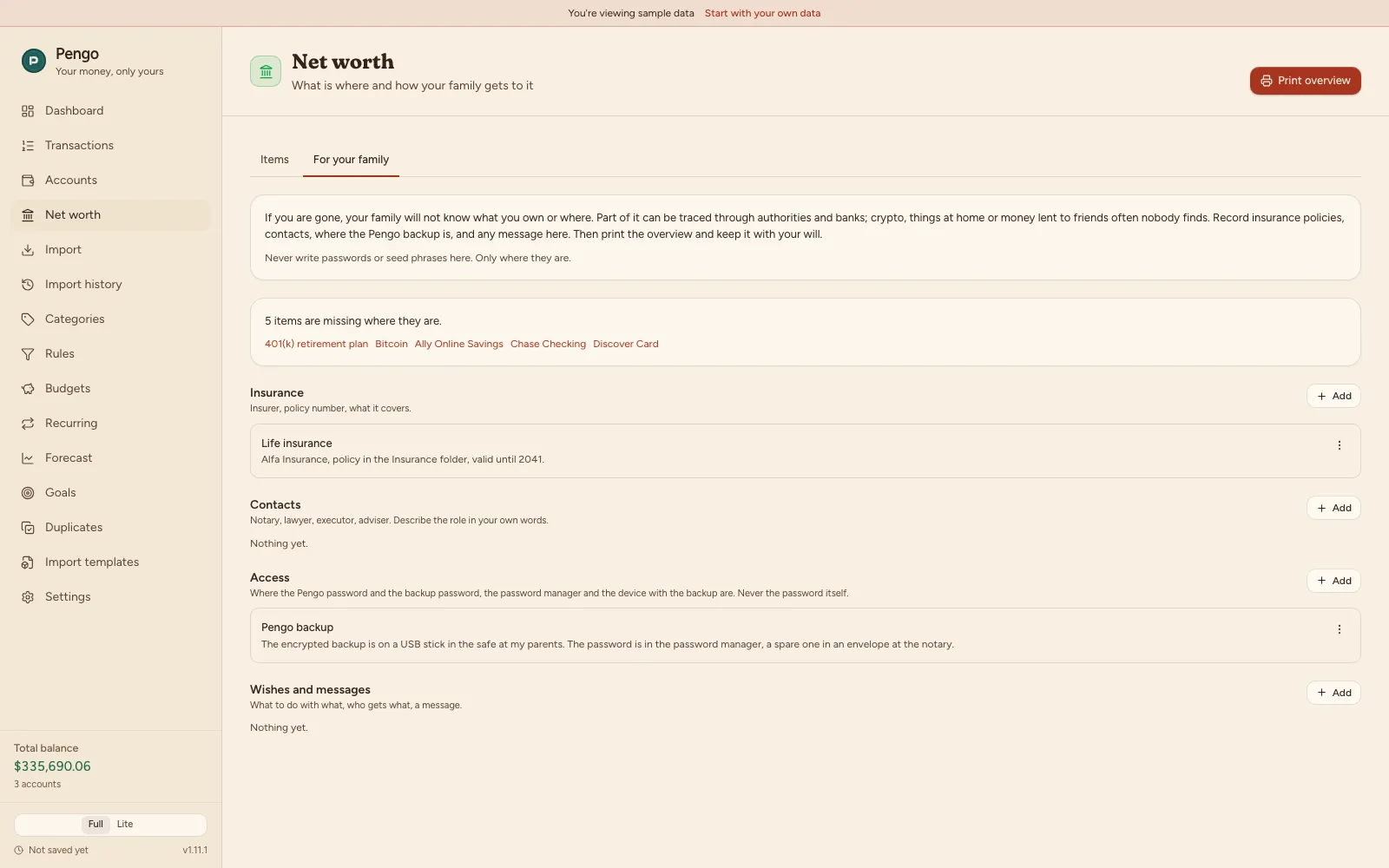
For each item you can note for your family where it is: at which firm (and under which login e-mail or name), or in your own custody (where the seed, device or key is kept). Never write passwords or seeds here. Only where they are. Records for insurance, contacts, access (where the Pengo password and backup are) and wishes go alongside.
From this Pengo builds an overview you can print. It lists accounts, assets, debts and receivables with what you filled in, steps for each case, and how to open a Pengo backup. It does not replace a will. Keep it with yours.
These details sit behind re-entering your Pengo password and stay on your device like everything else. Filling them in and printing are part of Pengo Plus. What is already filled in you can still view and delete.
Viewing, editing, manual valuation, archiving, deleting, and backing up existing items are free, with no limits. Plus unlocks four things: creating a new item or reactivating an archived one, automatic crypto price downloads from Hyperliquid, the net worth over time chart on the Dashboard, and filling in and printing the For your family overview. Nothing you already have is ever locked.
Net worth lives in the same encrypted database (AES-256) as the rest of Pengo, offline and without an account. A backup carries everything: items, valuations, and movement history. The price server only sees your IP address and download time, never your portfolio or license key.
Try Net worth in the demo with sample data, or create your own items with Pengo Plus. Viewing, editing and backups are free, no account.
 Pengo